Spindle Gallery
Round pictures orbit and stack, then open into a 3D ring of cards with space between them. Use it on a launch or portfolio page with 8 to 12 posters.

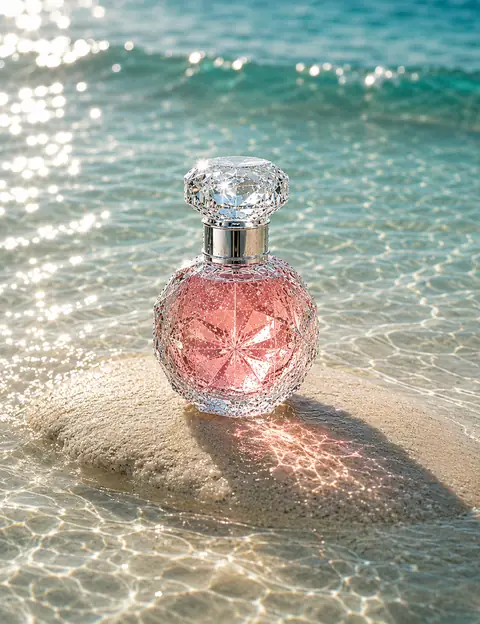
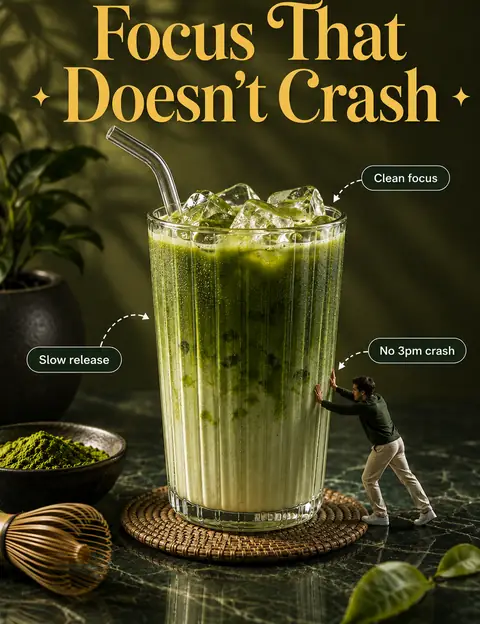
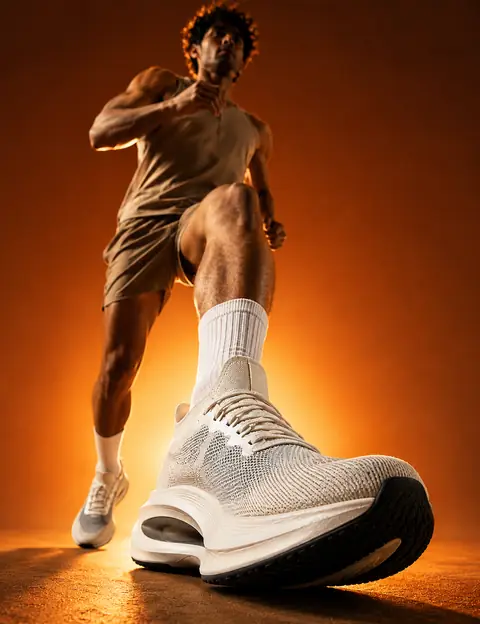



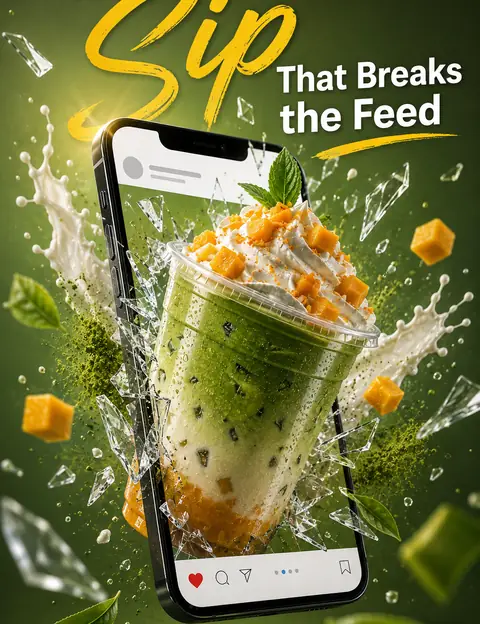


npx shadcn@latest add https://impeccableui.vercel.app/r/spindle-gallery.jsonRun it in a project set up with shadcn. No other packages needed. Or open and copy the file into components/ui/spindle-gallery.tsx.
Prompts
Paste one into Claude Code, Cursor or any AI coding tool. Install adds this exact gallery and asks only where it goes and which pictures it shows. Blend asks three short questions (where and which pictures, the pace and corners, and the intro), then fits it to your brand without changing how it moves.
# Spindle Gallery

A 1-file React component from Impeccable. Add it to this project so it works and looks exactly like the source below, in the one place I choose, and change nothing else.

A picture gallery that opens with a small show: round pictures orbit like planets, fall into one stack in the middle, then open into a ring of tall flat cards round an open middle, each card set at an angle with space between them, and the ring turns slowly in 3D. I can drag it sideways (or swipe on a phone) to spin it and flick it to throw it; with a mouse, dragging up or down also tilts it a little and it springs back. The pictures are only pictures: they can't be selected, dragged out of the page or clicked through to anywhere. There are no words on it.

## Before you build: one question

Look through this project first: pages that show work, products or campaigns (a launch or landing page, a portfolio or work section, a collection or lookbook page), any image grid or slider it already has, and where its pictures live. Then ask me this in one message and wait for my answer:

- **Where should it go, and which pictures does it show?** Suggest the 1–3 spots it fits best from my code. For each one, name the 8–12 pictures you would use. I can pick one or name another.
  *Why: the ring is a showpiece, so it belongs where my product already has strong, tall pictures worth turning round.*

Ask nothing else. If I say *skip*, use the best suggestion.

## Keep it as it is

The intro (round pictures orbiting, falling into one stack and opening into the ring) with its timing, the ring's open middle and angled cards with space between them, the slow 3D turn with its look-down angle and lean, and the drag, throw and tilt are the design. Keep them exactly as in the source. If something doesn't fit my project, tell me instead of changing it.

- Add only the component file and the one place I picked. If it replaces an existing gallery or slider there, keep that spot's data and remove only the old gallery. Don't add packages, change other files, or restyle anything. Never wrap the pictures in links.
- Don't add the demo parts from the Impeccable website: its ten posters, the card around it, and the home page's TV.

## Fastest path

If this project has a `components.json` (shadcn), run `npx shadcn@latest add https://impeccableui.vercel.app/r/spindle-gallery.json`.
If the command succeeds, only fix import paths to match this project and skip ahead. If it fails or there is no `components.json`, build it by hand as below.

## Build it

- Stack: React 18 or 19 with TypeScript. No other packages: it moves plain `<div>`s and `<img>`s with CSS 3D transforms, and its few styles sit in a `<style>` tag inside the file.
- JavaScript project? Name the file `spindle-gallery.jsx` and remove the type annotations; nothing else changes.
- Create this file, in this project's usual place for components:
  - `components/ui/spindle-gallery.tsx`
- Keep these exports and their names: `SpindleGallery` (also the default export), `SpindleGalleryProps`, `SpindleImage`.
- Keep `"use client"` at the top in Next.js App Router projects. In other setups it is harmless.
- Keep the tuning values at the top exactly as written: `DISC_START`, `DISC_STAGGER`, `DISC_POP`, `ORBIT_HOLD`, `MERGE_MS`, `STACK_MS`, `SPIN`, `SPIN_MAX`, `STACK_CORNER`, `TILT`, `DEPTH`, `SKIP_SPEED`, `FAN_MS`, `FAN_STAGGER`, `ASPECT`, `CORE`, `ANGLE`, `VIEW_X`, `VIEW_Z`, `SPEED`, `HOVER_SLOW`, `SETTLE`, `THROW_MAX`, `DRAG_START`, `TILT_MAX`, `TILT_K`, `TILT_C`, `KEY_EASE`, `SHADE`, the easing functions and the `CSS` block. They are the design and its timing.
- Keep the picture rules: every `<img>` has `draggable={false}`, and the CSS turns off selecting, the long-press menu on phones and pointer events on pictures. There are no links: a picture never goes anywhere when clicked.
- Keep the fallbacks: with `prefers-reduced-motion: reduce` there is no orbit, the ring shows at once and stands still until dragged, without the tilt. The gallery is one focusable region: the arrow keys turn it one page at a time and Space pauses or resumes the turning. Screen readers hear each picture's `alt`. A picture that fails to load keeps a soft placeholder.

## Use it

```tsx
"use client";
import { SpindleGallery, type SpindleImage } from "@/components/ui/spindle-gallery";

const posters: SpindleImage[] = [
  { src: "/campaign/spring.jpg", alt: "Spring campaign poster, a runner at sunrise" },
  { src: "/campaign/studio.jpg", alt: "Studio portrait with the new bottle" },
  { src: "/campaign/coast.jpg", alt: "The bottle on a rock in clear water" },
  // 8 to 12 pictures work best
];

export function Campaign() {
  return <SpindleGallery images={posters} height={560} aria-label="Spring campaign" />;
}
```

- Use 8 to 12 pictures with real `alt` text. Tall pictures (about 3 by 4) fit best: each one is cropped to the middle to fill its page. Keep each file small (about 500px wide, WebP): the browser loads each picture once and reuses it for both sides of its card.
- Pictures from another domain must be allowed by the project's Content-Security-Policy (`img-src`), or they stay as placeholders.
- Give it a height (`height`, default 560px). It fills the width it is given and has no background, so put it on a section that already has my page background.

## How the gallery works

Read this before you touch anything, so you know what the code does and why it must stay as it is.

1. **It waits to be seen.** Nothing moves until a third of the gallery is on screen and the pictures have loaded (or 1.2 seconds have passed). The intro only ever plays once.
2. **The orbit.** From 0.12 seconds, the pictures pop in one after another, 70ms apart, as circles on a tilted ring, each with a small overshoot. The ring is an ellipse 78% as tall as it is wide, and pictures at the front are 10% bigger and drawn over the ones at the back. It turns slowly (0.55 radians a second). There is no text in the middle.
3. **The fall.** 0.75 seconds after the last picture is in, the ring falls into the middle in 0.86 seconds, faster and faster like gravity, spinning faster as it shrinks.
4. **The stack.** The pictures land in one loose stack, each tilted a little, with a small squash, grow a little and square off into a loose deck of rounded cards (0.42 seconds). The first picture is on top.
5. **The ring opens.** Each card grows into a tall page and swings out to its place round the ring, half of them one way and half the other, the first picture first and the others 45ms later for each place away from it (1.25 seconds each). The pages don't meet in one point: each one starts a fifth of a page width from the centre, leaving an open middle, and is turned 32 degrees off the line from the centre, like the blades of a fan. While it opens, the whole ring tips back 16 degrees so you look down on it a little, and leans 7 degrees to the right. A tap, drag, wheel or key during the orbit plays the rest 3.2 times faster instead of jumping.
6. **The cards.** Each page is one flat picture card with space between it and the next. A card turned edge-on darkens a little (up to 45%), like light from the front, which shows the depth. The back of each card shows its picture the right way round.
7. **The turn.** The ring turns on its own at `speed` degrees a second (30 by default, one turn in 12 seconds), right to left at the front. A mouse over it slows it to 35% so people can look closer. Pages are 1.3 times as tall as they are wide, about a third of the gallery's width on a wide screen and never taller than 54% of its height, so the turning ring never touches the edges.
8. **The hand.** A press becomes a drag after 5px. Dragging sideways spins it with the page under the pointer following it; with a mouse, dragging up or down also tilts it up to 16 degrees and it springs back with a small bounce when you let go. A flick throws it (up to 900 degrees a second), then it eases back to its own speed over about 0.7 seconds, turning the way you threw it. A sideways trackpad swipe or Shift + wheel turns it too; a normal vertical scroll stays with the page. On a phone, a mostly vertical swipe scrolls the page.
9. **Colors and speed.** The gallery has no background and no words of its own. The focus ring and the soft placeholder take the text color around it, so they follow light and dark mode. Only transforms and opacity change while it moves, and it only draws while it is on screen; with `speed={0}` it stops drawing once it is still.

## Check

- It type-checks and the page renders with no console errors.
- When it scrolls into view, the round pictures orbit, fall into one stack and open into a ring of flat cards round an open middle in about 5 seconds, then the ring turns slowly right to left. Dragging spins it, a flick throws it and it eases back to its slow turn. Clicking a picture does nothing, and pictures can't be selected or dragged out.
- It looks right in light and dark mode (check both): the pages, the focus ring and the placeholders read well on each background.
- It works with a finger on a phone: a sideways swipe spins it, an up-and-down swipe scrolls the page, a long press shows no picture menu, and nothing scrolls sideways.
- With `prefers-reduced-motion: reduce`, there is no orbit, the ring shows at once and stands still until dragged.
- Nothing else on the site looks or behaves differently.
- Finish with a short report: the files you added or changed, where it's placed, and every place where you had to do something differently from the source, and why.

## Source

The reference implementation. Copy it as-is, then apply only the changes listed above.

### `components/ui/spindle-gallery.tsx`

```tsx
"use client";

import { useEffect, useRef, type CSSProperties, type KeyboardEvent as ReactKeyboardEvent } from "react";

/**
 * Spindle Gallery
 * Round pictures orbit, fall into one stack, then open into a ring of flat cards
 * round an open middle, each card set at an angle with space between them, and the
 * ring turns slowly in 3D. Drag to spin, flick to throw, and with a mouse drag up
 * or down to tilt. Pictures are only pictures: they can't be selected, dragged out
 * or clicked through to anywhere. One file, React only, CSS 3D, no packages.
 */

export type SpindleImage = {
  /** Picture address. Same site, or a site your Content-Security-Policy allows. */
  src: string;
  /** Says what the picture shows. Read by screen readers. */
  alt: string;
};

export type SpindleGalleryProps = {
  images: SpindleImage[];
  /** Play the orbit intro the first time it scrolls into view. Off: the ring shows at once. */
  intro?: boolean;
  /** How fast it turns on its own, in degrees a second. 0 keeps it still until dragged. */
  speed?: number;
  /** Corner radius of each page, in px. */
  radius?: number;
  /** Height of the gallery. Any CSS height. */
  height?: number | string;
  className?: string;
  style?: CSSProperties;
  "aria-label"?: string;
};

/* ---------- Tuning (the design and its timing) ---------- */
// The intro, the same pictures-only show as Orrery Gallery's.
const DISC_START = 120; // first picture appears
const DISC_STAGGER = 70; // between pictures
const DISC_POP = 640; // each picture pops in
const ORBIT_HOLD = 750; // orbit after the last picture is in
const MERGE_MS = 860; // pictures fall into the middle
const STACK_MS = 420; // the stack lands, breathes and squares off
const SPIN = 0.55; // orbit speed, radians a second
const SPIN_MAX = 9; // orbit speed cap while falling in
const STACK_CORNER = 0.2; // the stack's cards are rounded squares
const TILT = 0.78; // the orbit is a tilted ellipse
const DEPTH = 0.1; // pictures in front are 10% bigger
const SKIP_SPEED = 3.2; // a tap during the intro plays the rest this much faster
// The ring of pages.
const FAN_MS = 1250; // each page swings out to its place
const FAN_STAGGER = 45; // per page away from the first one
const ASPECT = 1.3; // page height / width
const CORE = 0.2; // the open middle: pages start this far (x page width) from the centre
const ANGLE = 32; // deg: each page is turned this far off the line from the centre
const VIEW_X = -16; // deg: we look down on it a little
const VIEW_Z = 7; // deg: the ring leans a little to the right
const SPEED = 30; // deg a second, one turn in 12 seconds
const HOVER_SLOW = 0.35; // a mouse over it slows it to 35%, to look closer
const SETTLE = 0.7; // s: a throw eases back to the turning speed
const THROW_MAX = 900; // deg a second
const DRAG_START = 5; // px before a press becomes a drag
const TILT_MAX = 16; // deg: dragging up or down with a mouse tilts it this far
const TILT_K = 120; // tilt spring stiffness
const TILT_C = 13; // tilt spring damping (a small bounce back)
const KEY_EASE = 7; // arrow keys glide one page
const SHADE = 0.45; // a card turned edge-on darkens up to 45%
const EASE_OUT = (x: number) => 1 - Math.pow(1 - x, 4);
const EASE_EXPO = (x: number) => (x >= 1 ? 1 : 1 - Math.pow(2, -10 * x));
const EASE_IO = (x: number) => (x < 0.5 ? 4 * x * x * x : 1 - Math.pow(-2 * x + 2, 3) / 2);
const BACK_OUT = (x: number) => {
  const c = 1.55;
  return 1 + (c + 1) * Math.pow(x - 1, 3) + c * Math.pow(x - 1, 2);
};

const clamp = (v: number, a: number, b: number) => Math.min(b, Math.max(a, v));
const clamp01 = (v: number) => clamp(v, 0, 1);
const lerp = (a: number, b: number, t: number) => a + (b - a) * t;
const f2 = (v: number) => Math.round(v * 100) / 100;

const CSS = `
.sg-root{position:relative;width:100%;overflow:hidden;color:var(--foreground,var(--fg,currentColor));perspective-origin:50% 50%;user-select:none;-webkit-user-select:none;-webkit-touch-callout:none;touch-action:pan-y;cursor:grab;outline:none;-webkit-tap-highlight-color:transparent}
.sg-root[data-drag]{cursor:grabbing}
.sg-root:focus-visible{box-shadow:inset 0 0 0 2px currentColor}
.sg-stage{position:absolute;left:50%;top:50%;width:0;height:0;transform-style:preserve-3d;pointer-events:none}
.sg-card{position:absolute;left:0;top:0;width:var(--sg-w);height:var(--sg-h);margin:calc(var(--sg-h) / -2) 0 0 calc(var(--sg-w) / -2);transform-style:preserve-3d;will-change:transform}
.sg-root:not([data-ready]) .sg-card{visibility:hidden}
.sg-face{position:absolute;inset:0;overflow:hidden;border-radius:var(--sg-r);-webkit-backface-visibility:hidden;backface-visibility:hidden;background:color-mix(in srgb,currentColor 9%,transparent)}
.sg-back{transform:rotateY(180deg)}
.sg-face img{position:absolute;left:0;top:0;display:block;width:100%;height:100%;max-width:none;max-height:none;object-fit:cover;pointer-events:none;user-select:none;-webkit-user-select:none;-webkit-user-drag:none;-webkit-touch-callout:none}
.sg-flat::after{content:"";position:absolute;inset:0;border-radius:inherit;box-shadow:inset 0 0 0 1px color-mix(in srgb,currentColor 10%,transparent);pointer-events:none}
.sg-shade{position:absolute;inset:0;background:#000;opacity:0;pointer-events:none}
`;

export function SpindleGallery({
  images,
  intro = true,
  speed = SPEED,
  radius = 14,
  height = 560,
  className,
  style,
  "aria-label": ariaLabel = "Gallery",
}: SpindleGalleryProps) {
  const rootRef = useRef<HTMLDivElement>(null);
  const stageRef = useRef<HTMLDivElement>(null);
  // The newest props, read by the running loop without restarting it.
  const safeSpeed = Number.isFinite(speed) ? clamp(Math.abs(speed), 0, 360) : SPEED;
  const safeRadius = Number.isFinite(radius) ? Math.max(0, radius) : 14;
  const live = useRef({ speed: safeSpeed, radius: safeRadius });
  live.current = { speed: safeSpeed, radius: safeRadius };
  const api = useRef<{ key: (k: string) => boolean } | null>(null);

  const srcKey = images.map((i) => i.src).join("\n");

  useEffect(() => {
    const root = rootRef.current;
    const stage = stageRef.current;
    if (!root || !stage) return;
    const cards = Array.from(stage.children) as HTMLElement[];
    const n = cards.length;
    const flats = cards.map((c) => Array.from(c.querySelectorAll<HTMLElement>(":scope > .sg-flat")));
    const flatShades = cards.map((c) => Array.from(c.querySelectorAll<HTMLElement>(":scope > .sg-flat > .sg-shade")));

    const reduce = window.matchMedia("(prefers-reduced-motion: reduce)");
    const playIntro = intro && !reduce.matches && n > 0;

    /* ---------- Pictures ---------- */
    let loaded = 0;
    let readyAt = -1;
    const cleanups: (() => void)[] = [];
    cards.forEach((c) => {
      const pics = Array.from(c.querySelectorAll("img"));
      const front = pics[0];
      const broken = () => pics.forEach((p) => (p.style.visibility = "hidden")); // keep the soft placeholder, never the broken icon
      if (!front || (front.complete && front.naturalWidth)) {
        loaded++;
        return;
      }
      if (front.complete && front.getAttribute("src")) {
        broken();
        loaded++;
        return;
      }
      const onLoad = () => {
        loaded++;
        kick();
      };
      const onError = () => {
        broken();
        onLoad();
      };
      front.addEventListener("load", onLoad, { once: true });
      front.addEventListener("error", onError, { once: true });
      cleanups.push(() => {
        front.removeEventListener("load", onLoad);
        front.removeEventListener("error", onError);
      });
    });

    /* ---------- Layout ---------- */
    let w = 1, h = 1, W = 100, H = 130, D = 40, R0 = 100, degPerPx = 0.5;
    const layout = () => {
      const r = root.getBoundingClientRect();
      w = Math.max(1, r.width);
      h = Math.max(1, r.height);
      // Pages wide enough to fill the box, small enough that the turning ring never touches its edges.
      W = Math.round(clamp(Math.min(w * 0.33, (h * 0.54) / ASPECT), 36, 320));
      H = Math.round(W * ASPECT);
      D = clamp(Math.min(w, h) * 0.14, 40, 110) * Math.sqrt(Math.min(1, 10 / Math.max(1, n)));
      // The orbit keeps its front pictures inside the box on any screen.
      R0 = Math.max(D, Math.min(w / 2 - D * 0.8, (h / 2 - D * 0.8) / TILT, h * 0.36));
      root.style.perspective = `${Math.round(Math.max(700, W * 3.8))}px`;
      root.style.setProperty("--sg-w", `${W}px`);
      root.style.setProperty("--sg-h", `${H}px`);
      degPerPx = 57.3 / (W * 0.85); // the page under your finger follows it
      cropCache.fill("");
    };

    /* ---------- State ---------- */
    let started = !playIntro; // intro waits until it is in view
    let t = playIntro ? 0 : 1e9; // intro clock, ms
    let introSpeed = 1;
    let rot = 0; // orbit angle, radians
    let spin = 0; // ring angle, degrees
    let omega = 0; // ring speed, degrees a second
    let dir = -1; // turns right to left at the front until thrown the other way
    let pending = 0; // degrees still to glide from the arrow keys or a sideways wheel
    let tilt = 0, tiltV = 0; // extra look-down from a mouse drag
    let hovering = false;
    let paused = false;
    let raf = 0;
    let last = 0;
    let visibleNow = true;
    let ringOn = false;
    const cropCache: string[] = cards.map(() => "");
    const shadeCache: number[] = cards.map(() => -1);

    // Pseudo-random but stable tilt and nudge for each picture in the stack.
    const jit = cards.map((_, i) => {
      const a = Math.sin((i + 1) * 12.9898) * 43758.5453;
      const b = Math.sin((i + 1) * 78.233) * 12543.123;
      const fa = a - Math.floor(a), fb = b - Math.floor(b);
      return { r: (fa - 0.5) * 0.42, x: (fb - 0.5) * 0.34, y: (fa * 7.3 - Math.floor(fa * 7.3) - 0.5) * 0.24 };
    });
    // Each page's place round the ring: picture 0 stays in front, the rest open both ways like a fan.
    const slot = cards.map((_, i) => (i <= n / 2 ? i : i - n));
    const angle = slot.map((k) => (n ? (k * 360) / n : 0));
    const maxSlot = slot.reduce((m, k) => Math.max(m, Math.abs(k)), 0);

    const discEnd = DISC_START + Math.max(0, n - 1) * DISC_STAGGER + DISC_POP;
    const T_MERGE = discEnd + ORBIT_HOLD;
    const T_STACK = T_MERGE + MERGE_MS;
    const T_FAN = T_STACK + STACK_MS;
    const FAN_ALL = FAN_MS + maxSlot * FAN_STAGGER + 70;
    const T_DONE = T_FAN + FAN_ALL;

    /* ---------- Drawing ---------- */
    /** Places a page: (x, y, z) and (a, s) for the intro, then the ring's lean and look-down, its turn, the open middle and the page's angle. */
    const put = (i: number, x: number, y: number, z: number, tz: number, tx: number, ry: number, core: number, ang: number, hx: number, a: number, s: number) => {
      cards[i].style.transform =
        `translate3d(${f2(x)}px,${f2(y)}px,${f2(z)}px) rotateZ(${f2(tz)}deg) rotateX(${f2(tx)}deg) rotateY(${f2(ry)}deg) ` +
        `translate3d(${f2(core)}px,0,0) rotateY(${f2(ang)}deg) translate3d(${f2(hx)}px,0,0) rotate(${f2(a * 57.2958)}deg) scale(${Math.round(s * 1e4) / 1e4})`;
    };
    /**
     * Crops a page to a circle or rounded square during the intro: its window shrinks
     * top and bottom by v px with r px corners, while its picture stays where it was.
     */
    const crop = (i: number, v: number, r: number) => {
      const c = v < 0 ? "" : `${f2(v)}|${f2(r)}`;
      if (cropCache[i] === c) return;
      cropCache[i] = c;
      for (const f of flats[i]) {
        f.style.top = f.style.bottom = v < 0 ? "" : `${f2(v)}px`;
        f.style.borderRadius = v < 0 ? "" : `${f2(r)}px`;
        const img = f.firstElementChild as HTMLElement | null;
        if (img) {
          img.style.top = v < 0 ? "" : `${f2(-v)}px`;
          img.style.height = v < 0 ? "" : `${H}px`;
        }
      }
    };
    /** A card turned edge-on darkens a little, like light from the front. */
    const shadeOf = (deg: number) => Math.round(SHADE * Math.pow(1 - Math.abs(Math.cos((deg * Math.PI) / 180)), 1.4) * 50) / 50;
    const setShade = (i: number, o: number) => {
      if (shadeCache[i] === o) return;
      shadeCache[i] = o;
      for (const s of flatShades[i]) s.style.opacity = String(o);
    };

    const drawOrbit = () => {
      const merging = t >= T_MERGE;
      const q = merging ? clamp01((t - T_MERGE) / MERGE_MS) : 0;
      const fall = Math.pow(q, 2.2); // falls in faster and faster, like gravity
      const R = R0 * (1 - fall);
      const pos = cards.map((_, i) => {
        const ang = (i / n) * Math.PI * 2 - Math.PI / 2 + rot;
        const depth = Math.sin(ang);
        const pop = clamp01((t - DISC_START - i * DISC_STAGGER) / DISC_POP);
        const sc = BACK_OUT(pop) * (1 + DEPTH * depth * (1 - fall));
        return {
          i,
          x: Math.cos(ang) * R + jit[i].x * D * fall,
          y: Math.sin(ang) * R * TILT + jit[i].y * D * fall,
          s: (D * sc) / W,
          a: jit[i].r * fall,
          alpha: clamp01(pop * 2.2),
          z: merging ? (i === 0 ? n : i) : depth,
        };
      });
      // Back to front: during the orbit by depth, in the stack picture 0 lands on top.
      pos.sort((p1, p2) => p1.z - p2.z);
      pos.forEach((p, rank) => {
        put(p.i, p.x, p.y, rank * 0.4, 0, 0, 0, 0, 0, 0, p.a, p.s);
        crop(p.i, (H - W) / 2, W / 2);
        cards[p.i].style.opacity = p.alpha >= 1 ? "" : String(Math.round(p.alpha * 1000) / 1000);
        setShade(p.i, 0);
      });
    };

    /** Picture 0 on top of the stack, the rest under it in order. */
    const stackRank = (i: number) => (i === 0 ? n : i);

    const drawStack = () => {
      // The stack lands with a small squash, then grows a little.
      const st = t - T_STACK;
      const grow = EASE_OUT(clamp01(st / STACK_MS));
      const squash = 1 + 0.1 * Math.exp(-st / 110) * Math.sin((st / 240) * Math.PI * 2);
      const sz = D * (1 + 0.35 * grow) * squash;
      // The circles square off into a loose deck as they land.
      const corner = lerp(sz / 2, sz * STACK_CORNER, grow);
      const s = sz / W;
      for (let i = 0; i < n; i++) {
        put(i, jit[i].x * D, jit[i].y * D, stackRank(i) * 0.4, 0, 0, 0, 0, 0, 0, jit[i].r, s);
        crop(i, (H - W) / 2, corner / s);
        cards[i].style.opacity = "";
      }
    };

    const drawFan = () => {
      const st = t - T_FAN;
      const g = EASE_IO(clamp01(st / FAN_ALL)); // the whole ring tips back as it opens
      const Ds = D * 1.35;
      const r = live.current.radius;
      for (let i = 0; i < n; i++) {
        const delay = Math.abs(slot[i]) * FAN_STAGGER;
        const p = clamp01((st - delay) / FAN_MS);
        const pw = EASE_EXPO(p); // size and place lead
        const pa = EASE_OUT(p); // the swing round the ring
        const ph = EASE_OUT(clamp01((st - delay - 70) / FAN_MS)); // height follows the width a beat later
        const pr = EASE_OUT(clamp01(p * 1.6)); // the square turns into a page early
        const s = lerp(Ds / W, 1, pw);
        const ry = angle[i] * pa + spin;
        put(
          i,
          jit[i].x * D * (1 - pw),
          jit[i].y * D * (1 - pw),
          stackRank(i) * 0.4 * (1 - pw),
          VIEW_Z * g,
          (VIEW_X + tilt) * g,
          ry,
          CORE * W * pw,
          ANGLE * pa,
          (W / 2) * pw,
          jit[i].r * (1 - pw),
          s,
        );
        crop(i, lerp((H - W) / 2, 0, ph), lerp(Ds * STACK_CORNER, r, pr) / s);
        setShade(i, shadeOf(ry + ANGLE * pa));
      }
    };

    const drawRing = () => {
      const tx = VIEW_X + tilt;
      for (let i = 0; i < n; i++) {
        const ry = spin + angle[i];
        cards[i].style.transform =
          `rotateZ(${VIEW_Z}deg) rotateX(${f2(tx)}deg) rotateY(${f2(ry)}deg) ` +
          `translate3d(${f2(CORE * W)}px,0,0) rotateY(${ANGLE}deg) translate3d(${f2(W / 2)}px,0,0)`;
        setShade(i, shadeOf(ry + ANGLE));
      }
    };

    const toRing = () => {
      if (ringOn) return;
      ringOn = true;
      for (let i = 0; i < n; i++) {
        crop(i, -1, 0);
        cards[i].style.opacity = "";
      }
    };

    const draw = () => {
      if (!n || !started) return;
      root.setAttribute("data-ready", "");
      if (t < T_STACK) drawOrbit();
      else if (t < T_FAN) drawStack();
      else if (t < 1e8) drawFan();
      else {
        toRing();
        drawRing();
      }
    };

    /* ---------- Motion ---------- */
    const still = () => reduce.matches;
    const cruise = () => {
      if (paused || still()) return 0;
      const fanIn = t > 1e8 ? 1 : t >= T_FAN ? EASE_IO(clamp01((t - T_FAN) / FAN_ALL)) : 0;
      return dir * live.current.speed * (hovering && !dragging ? HOVER_SLOW : 1) * fanIn;
    };
    const settled = () =>
      t > 1e8 &&
      !dragging &&
      cruise() === 0 &&
      Math.abs(omega) < 0.02 &&
      Math.abs(pending) < 0.02 &&
      Math.abs(tilt) < 0.01 &&
      Math.abs(tiltV) < 0.01;

    const frame = (now: number) => {
      raf = 0;
      // Real elapsed time (up to 0.1s, so a slow phone keeps the timing); springs step in small slices.
      const dt = clamp(last ? (now - last) / 1000 : 1 / 60, 0.001, 0.1);
      last = now;
      const subs = Math.max(1, Math.ceil(dt * 120));
      const sdt = dt / subs;

      if (started && n) {
        if (t < 1e8) {
          const ready = loaded >= n || (readyAt >= 0 && now - readyAt > 1200);
          if (ready) t += dt * 1000 * introSpeed;
          if (t >= T_DONE) t = 1e9;
        }
        // Orbit spin: faster as the orbit shrinks, like a skater pulling in their arms.
        if (t < T_STACK) {
          const q = t >= T_MERGE ? clamp01((t - T_MERGE) / MERGE_MS) : 0;
          const r = Math.max(0.12, 1 - Math.pow(q, 2.2));
          rot += Math.min(SPIN_MAX, SPIN / (r * r)) * dt * introSpeed;
        }
        if (t >= T_FAN) {
          if (!dragging) {
            // A throw eases back to the cruising speed.
            omega += (cruise() - omega) * (1 - Math.exp(-dt / SETTLE));
            if (Math.abs(omega) < 0.02 && cruise() === 0) omega = 0;
            spin += omega * dt;
          }
          if (pending) {
            const d = pending * (1 - Math.exp(-dt * KEY_EASE));
            spin += d;
            pending -= d;
            if (Math.abs(pending) < 0.02) {
              spin += pending;
              pending = 0;
            }
          }
          if (spin > 3600 || spin < -3600) {
            spin %= 360;
            spin0 = spin;
            sx0 = lastX;
          }
          if (!dragging) {
            for (let k = 0; k < subs; k++) {
              tiltV += (TILT_K * (0 - tilt) - TILT_C * tiltV) * sdt;
              tilt += tiltV * sdt;
            }
            if (Math.abs(tilt) < 0.01 && Math.abs(tiltV) < 0.01) tilt = tiltV = 0;
          }
        }
      }

      draw();
      if (visibleNow && started && n && !settled()) raf = requestAnimationFrame(frame);
      else last = 0;
    };

    const kick = () => {
      if (!raf && visibleNow && started && n) {
        last = 0;
        raf = requestAnimationFrame(frame);
      }
    };

    /* ---------- Input ---------- */
    let dragging = false;
    let pressed = false;
    let pid = -1;
    let mouseLike = false;
    let sx0 = 0, sy0 = 0, spin0 = 0, tilt0 = 0, lastX = 0;
    let samples: { x: number; t: number }[] = [];

    const inIntro = () => started && t < T_FAN;
    const begin = () => {
      if (!started) {
        started = true;
        readyAt = performance.now();
      }
    };
    const skipIntro = () => {
      if (started && t < 1e8) introSpeed = SKIP_SPEED;
    };

    const onDown = (e: PointerEvent) => {
      if (e.button !== 0 || !e.isPrimary) return;
      visibleNow = true; // a person pressing it can see it
      begin();
      if (inIntro()) {
        skipIntro();
        kick();
        return;
      }
      pressed = true;
      pid = e.pointerId;
      mouseLike = e.pointerType !== "touch";
      sx0 = lastX = e.clientX;
      sy0 = e.clientY;
      spin0 = spin;
      tilt0 = tilt;
      samples = [{ x: e.clientX, t: e.timeStamp }];
    };

    const onMove = (e: PointerEvent) => {
      if (!pressed || e.pointerId !== pid) return;
      const dx = e.clientX - sx0, dy = e.clientY - sy0;
      if (!dragging) {
        if (!mouseLike && Math.abs(dy) > DRAG_START && Math.abs(dy) > Math.abs(dx)) {
          pressed = false; // a vertical swipe on a phone scrolls the page
          return;
        }
        if (Math.hypot(dx, dy) <= DRAG_START) return;
        dragging = true;
        root.setAttribute("data-drag", "");
        try {
          root.setPointerCapture(pid);
        } catch {}
        // Start from where it is now, so taking hold never jumps.
        sx0 = lastX = e.clientX;
        sy0 = e.clientY;
        spin0 = spin;
        tilt0 = tilt;
        omega = 0;
        tiltV = 0;
        samples = [{ x: e.clientX, t: e.timeStamp }];
        return;
      }
      e.preventDefault();
      lastX = e.clientX;
      spin = spin0 + (e.clientX - sx0) * degPerPx;
      if (mouseLike && !still()) tilt = clamp(tilt0 - (e.clientY - sy0) * 0.08, -TILT_MAX, TILT_MAX);
      samples.push({ x: e.clientX, t: e.timeStamp });
      if (samples.length > 8) samples.shift();
      kick();
    };

    const release = (e: PointerEvent) => {
      if (!pressed || e.pointerId !== pid) return;
      pressed = false;
      if (!dragging) return;
      dragging = false;
      root.removeAttribute("data-drag");
      // Throw speed from the last 100ms of the drag.
      const recent = samples.filter((s) => e.timeStamp - s.t < 100);
      let v = 0;
      if (recent.length > 1) {
        const a = recent[0], b = recent[recent.length - 1];
        v = ((b.x - a.x) / Math.max(16, b.t - a.t)) * 1000 * degPerPx;
      }
      omega = clamp(v, -THROW_MAX, THROW_MAX);
      if (Math.abs(omega) > 40) dir = Math.sign(omega); // it keeps turning the way you threw it
      kick();
    };

    const onEnter = (e: PointerEvent) => {
      if (e.pointerType !== "mouse") return;
      hovering = true;
      kick();
    };
    const onLeave = (e: PointerEvent) => {
      if (e.pointerType !== "mouse") return;
      hovering = false;
      kick();
    };

    const onWheel = (e: WheelEvent) => {
      const dx = e.shiftKey && !e.deltaX ? e.deltaY : e.deltaX;
      if (Math.abs(dx) <= Math.abs(e.deltaY) && !e.shiftKey) return; // vertical scroll stays with the page
      e.preventDefault(); // also stops the browser's swipe-back
      visibleNow = true;
      begin();
      if (inIntro()) {
        skipIntro();
        kick();
        return;
      }
      const unit = e.deltaMode === 1 ? 16 : e.deltaMode === 2 ? w : 1;
      pending -= dx * unit * degPerPx * 0.5;
      kick();
    };

    /* ---------- Keyboard (called from the region) ---------- */
    api.current = {
      key: (k) => {
        if (!n) return false;
        if (k !== "ArrowLeft" && k !== "ArrowRight" && k !== " ") return false;
        begin();
        if (inIntro()) {
          skipIntro();
          kick();
          return true;
        }
        if (k === " ") paused = !paused;
        else pending += (k === "ArrowRight" ? 1 : -1) * (360 / n);
        kick();
        return true;
      },
    };

    /* ---------- Wiring ---------- */
    layout();
    const ro = new ResizeObserver(() => {
      layout();
      draw(); // redraw at once with the new sizes, even when still
      kick();
    });
    ro.observe(root);
    const io = new IntersectionObserver(
      (entries) => {
        const en = entries[entries.length - 1];
        visibleNow = en.isIntersecting;
        if (en.intersectionRatio >= 0.35 && !started) begin();
        if (visibleNow) kick();
      },
      { threshold: [0, 0.01, 0.35, 1] },
    );
    io.observe(root);
    const onReduce = () => {
      if (reduce.matches && started && t < 1e8) introSpeed = 50;
      if (reduce.matches) tilt = tiltV = 0;
      kick();
    };
    reduce.addEventListener?.("change", onReduce);

    root.addEventListener("pointerdown", onDown);
    window.addEventListener("pointermove", onMove, { passive: false });
    window.addEventListener("pointerup", release);
    window.addEventListener("pointercancel", release);
    root.addEventListener("pointerenter", onEnter);
    root.addEventListener("pointerleave", onLeave);
    root.addEventListener("wheel", onWheel, { passive: false });
    if (!playIntro) root.setAttribute("data-ready", "");
    draw();
    kick();

    return () => {
      cancelAnimationFrame(raf);
      ro.disconnect();
      io.disconnect();
      reduce.removeEventListener?.("change", onReduce);
      root.removeEventListener("pointerdown", onDown);
      window.removeEventListener("pointermove", onMove);
      window.removeEventListener("pointerup", release);
      window.removeEventListener("pointercancel", release);
      root.removeEventListener("pointerenter", onEnter);
      root.removeEventListener("pointerleave", onLeave);
      root.removeEventListener("wheel", onWheel);
      cleanups.forEach((f) => f());
      root.removeAttribute("data-ready");
      root.removeAttribute("data-drag");
      api.current = null;
    };
    // Restart only when the pictures themselves or the intro setting change.
    // eslint-disable-next-line react-hooks/exhaustive-deps
  }, [srcKey, intro]);

  const onKeyDown = (e: ReactKeyboardEvent) => {
    if (api.current?.key(e.key)) e.preventDefault();
  };

  const r = `${safeRadius}px`;
  return (
    <div
      ref={rootRef}
      className={["sg-root", className].filter(Boolean).join(" ")}
      style={{ height, ["--sg-r" as string]: r, ...style }}
      role="region"
      aria-roledescription="carousel"
      aria-label={ariaLabel}
      tabIndex={0}
      onKeyDown={onKeyDown}
    >
      <style>{CSS}</style>
      <div ref={stageRef} className="sg-stage">
        {images.map((img, i) => (
          <div className="sg-card" key={`${i}-${img.src}`}>
            {/* One flat card, front and back, so the picture reads the right way round from both sides. */}
            <div className="sg-face sg-flat">
              <img src={img.src} alt={img.alt} draggable={false} loading="lazy" decoding="async" />
              <i className="sg-shade" />
            </div>
            <div className="sg-face sg-flat sg-back" aria-hidden="true">
              <img src={img.src} alt="" draggable={false} loading="lazy" decoding="async" />
              <i className="sg-shade" />
            </div>
          </div>
        ))}
      </div>
    </div>
  );
}

export default SpindleGallery;
```
Usage
Give it your pictures with an alt each, and a height.
"use client";
import { SpindleGallery, type SpindleImage } from "@/components/ui/spindle-gallery";

const posters: SpindleImage[] = [
  { src: "/campaign/spring.jpg", alt: "Spring campaign poster, a runner at sunrise" },
  { src: "/campaign/studio.jpg", alt: "Studio portrait with the new bottle" },
  { src: "/campaign/coast.jpg", alt: "The bottle on a rock in clear water" },
  // 8 to 12 tall pictures work best
];

export function Campaign() {
  return (
    <SpindleGallery
      images={posters}
      height={560}
      aria-label="Spring campaign"
    />
  );
}
Keep each picture small (about 500px wide, WebP): the browser loads each one once and reuses it for both sides of its card. Pictures from another site must be allowed by your Content-Security-Policy (img-src), or they stay as soft placeholders.
How it moves
The same picture show as Orrery Gallery, then a ring of flat cards you can spin.
The pictures pop in as circles on a tilted ring that turns slowly, front ones bigger. The ring falls into the middle, spinning quicker as it shrinks, and the pictures land in one loose stack. Then each card grows into a tall page and swings out to its place, half one way and half the other. The pages don't meet in one point: they leave an open middle, and each one is turned at an angle, like the blades of a fan. The ring tips back so you look down on it a little, and starts to turn. Tap during the show and the rest plays faster.
Each card is one flat picture, with space between it and the next, and darkens a little as it turns edge-on. It turns right to left, one turn in 12 seconds, and slows under the mouse so you can look closer. Drag it sideways and the page under your pointer follows; flick it and it spins on, then eases back to its own pace, turning the way you threw it. With a mouse, dragging up or down tilts it and it springs back. Pictures are never links, can't be selected and can't be dragged out. Keyboard users can focus it, turn it a page with the arrow keys and pause it with Space. With reduced motion there is no show and it stands still until you drag it.
Props
| Prop | Default | What it does |
|---|---|---|
images | — | The pictures, in order. Each is { src, alt }. alt is read by screen readers. 8 to 12 work best; tall pictures (about 3 by 4) fit best. They are never links. |
intro | true | Play the orbit the first time it scrolls into view. Off, the ring shows at once. |
speed | 30 | How fast it turns on its own, in degrees a second (30 is one turn in 12 seconds). 0 keeps it still until dragged. |
radius | 14 | Corner radius of each page, in px. |
height | 560 | Height of the gallery. Any CSS height. It fills the width it is given. |
aria-label | "Gallery" | Name of the gallery for screen readers. |
className / style | — | On the outer box. It has no background and no words, and the focus ring and placeholders take its text color. |